Device Details
Overview
| Name | Version: | Haploid FM 1.0 |
| Author: | Andromeda |
| Device Type: | Audio Effect |
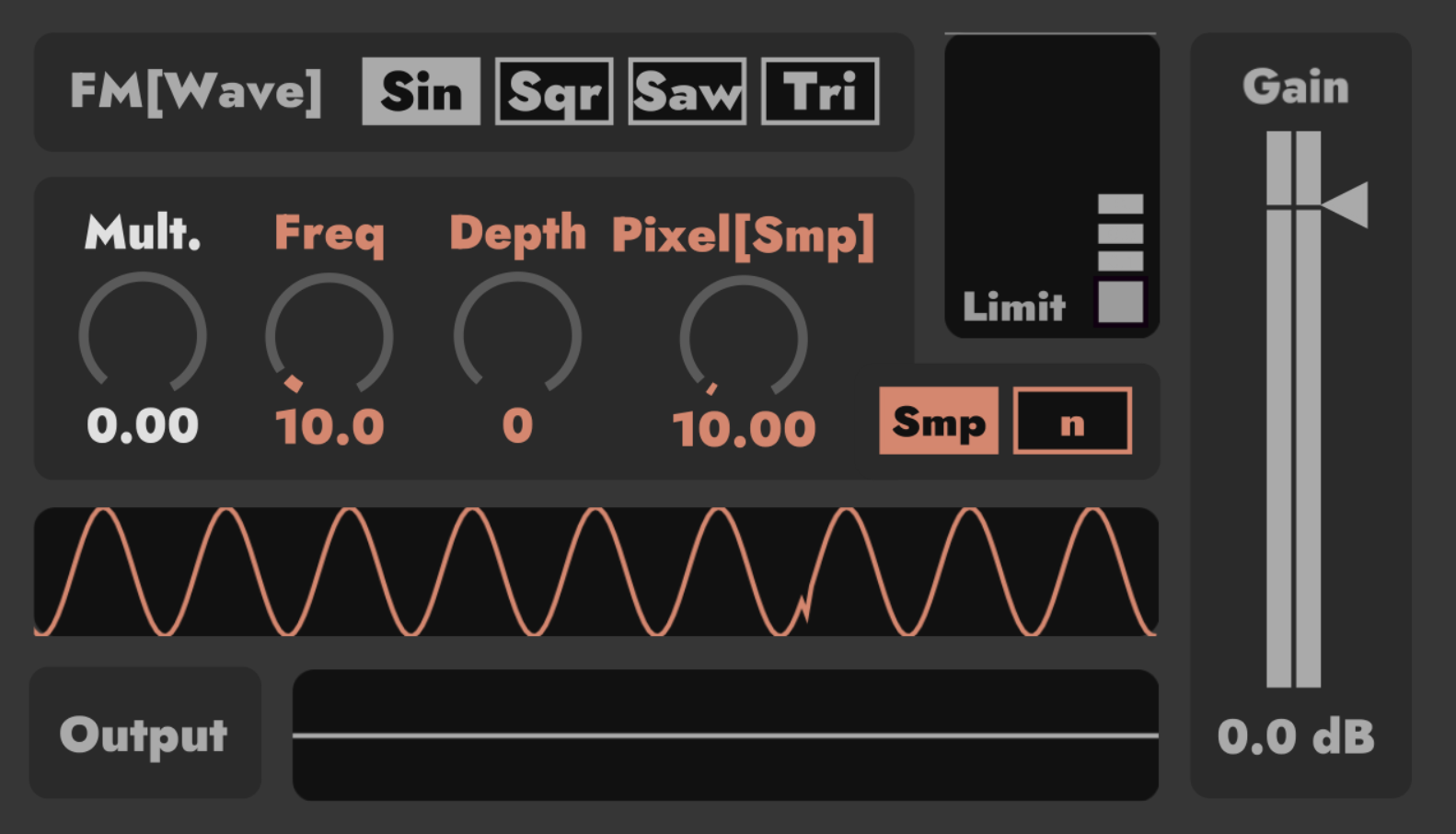
| Description: | Name: Haploid FM. Format n System: Max For Live Device / MIDI Effect / Max 9.1.0 or Higher. Author: Andromeda. Profile: A simple single-layer frequency modulator with four basic waveforms: sine wave, square wave, triangular wave, and sawtooth wave. Explicate: 1.”FM[Wave]”: Choose the modulation wave to modulate the input sound. 2.”Mult.”: A multiplier added to your FM[Wave] between 0 to 1.. 3.”Freq”: Adjust the frequency of FM[Wave]. 4.”Depth”: The maximum frequency that can be resulted by FM[Wave]. 5.”Pixel[Smp]/Pixel[n]”: Adjust the time of two adjacent samples from FM [Wave] in units of “sample” or “n”. 6.“Smp | n”: Switch between “sample” and “n” units of the previous control. 7.“Limit On”: Choose to use the limiter or not (the default ceiling is -0.3dB, release is 0.3ms). 8.”Gain”: Adjust the output volume gain. Note that it is after the limiter. 9.two Oscilloscopes: The first one displays the wave of FM[Wave], and the second one is the output waveform. |
Details
| Live Version Used: | 12.3.5 |
| Max Version Used: | 9.1.0 |
| Date Added: | Feb 11 2026 01:14:14 |
| Date Last Updated: | Feb 12 2026 04:43:17 |
| Downloads: | 204 |
| ⓘ License: | None |
Average Rating
Log in to rate this device |
-n/a- |
Files
| Device File: | Haploid FM by Andromeda.amxd |
Comments
@irishmos: I'm sorry that I made a mistake with an object name, which resulted in the processing result being reduced, causing you to feel almost ineffective when adjusting parameters. It has now been repaired!
Posted on February 12 2026 by Andromeda |
Report Issue
Login to comment on this device.
Browse the full library
If it's not working for someone, hit the limiter button. I had nothing til I hit it.