Device Details
Overview
| Name | Version: | NA7AN Toolkit 2.0 |
| Author: | NA7AN |
| Device Type: | Audio Effect |
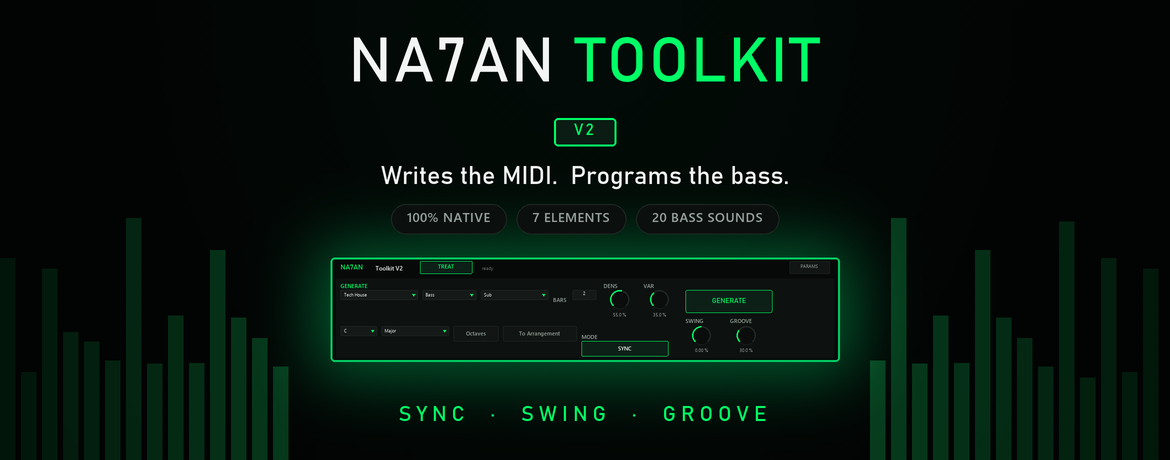
| Description: | Writes MIDI for 7 elements — bass, hats, perc, chords, lead, plucks, synth — and programs 20 bass sounds into Operator. 100% native, Ableton Live 12. Not another MIDI generator. WHAT IT WRITES Seven elements, as MIDI clips: Bass, Hats, Perc, Chords, Lead, Plucks and Synth. Pattern, notes, velocity and length — in the key and scale you set. The V1 wrote the bass. The V2 writes the parts around it too. WHAT IT SOUNDS LIKE The Toolkit programs the sound for ONE of them: the bass. Pick a sound and it writes the whole Operator patch for you — 20 of them, from Sub to Reese to Acid, built from synthesis rules rather than a folder of static presets. It also drives the included BASS TREATMENT rack. For the other six it writes the MIDI and stops there. Point them at whatever drum rack or instrument you already use. Worth being plain about before you buy: MIDI for seven, sound for one. No third-party plugins, nothing to install beyond the device itself, and nothing that breaks when you send the project to someone else. ━━━━━━━━━━━━━━━━━━━━━━━━━━━━━━━━━━━━━━━━━━━━ NEW IN V2 • Three new elements — Lead, Plucks and Synth, on top of Bass, Hats, Perc and Chords. Seven in total: the V1 wrote the bass, the V2 writes the parts around it. • SYNC mode — patterns written from measurements taken across 698 reference MIDI files, not from a dice roll • SWING and GROOVE — off-beat placement and humanisation, both starting neutral Free update for everyone who already owns it. Existing keys keep working. ━━━━━━━━━━━━━━━━━━━━━━━━━━━━━━━━━━━━━━━━━━━━ GENERATE — the pattern for seven, the sound for the bass • Seven elements written as MIDI — Bass, Hats, Perc, Chords, Lead, Plucks, Synth • 20 bass sounds programmed into Operator on the fly — Sub, Reese, FM, Moog, Acid and 15 more, each built from real synthesis rules rather than a folder of static presets. This is the bass only; the other six elements come out as MIDI, for the instruments you already use. • Pick the sound in the Toolkit and Operator is programmed for you. You never open Operator unless you want to. • Every click gives a new variation of that same character. Click through until one lands. • MODE: RANDOM or SYNC RANDOM writes from genre rules — swing, density, where the off-beat falls. SYNC writes from odds measured across 698 reference MIDI files: which of the 16 steps in a bar the genre actually lands on, how far the line walks between notes, how long notes are held, where accents fall — measured separately for each style. No loop is copied and none can be reconstructed. What ships inside the device is probability, not notes. • SWING / GROOVE — the feel, from dead straight to loose • Bars / Density / Variation — length, busyness, movement • Root / Scale — musical control on every pitched element • To Arrangement — drop the clip on the timeline instead of the Session ━━━━━━━━━━━━━━━━━━━━━━━━━━━━━━━━━━━━━━━━━━━━ TREAT — six modules, no plugin windows Second tab of the same device. One button and one knob each. Green is on, dark is off. Switching a module off keeps its value — switch it back on and you are exactly where you left it. CUT Low Cut, High Cut, each with a x4 switch (48 dB/oct) DYNAMICS Low Expand, Punch COLOR Saturate, Fattener ━━━━━━━━━━━━━━━━━━━━━━━━━━━━━━━━━━━━━━━━━━━━ HOW IT WORKS The Toolkit is a brain, not a sound source. It has no audio engine of its own: it programs the Operator on your track and controls the included BASS TREATMENT rack — two EQ Eights, two Glue Compressors and a Roar, all mapped and ready. Every one of them ships with Live. The download is one Instrument Rack. Drag it onto a MIDI track and the whole chain arrives assembled: Operator → NA7AN Toolkit → BASS TREATMENT Nothing to route. Nothing to map. Nothing to configure. ━━━━━━━━━━━━━━━━━━━━━━━━━━━━━━━━━━━━━━━━━━━━ REQUIREMENTS • Ableton Live 12 Suite — or Live 12 Standard with Max for Live • Operator (included in Suite) • Windows or macOS Live 12 Intro and Lite cannot run Max for Live devices. ━━━━━━━━━━━━━━━━━━━━━━━━━━━━━━━━━━━━━━━━━━━━ ACTIVATION This is a paid device. The download here runs as a demo and asks for an activation key when you load it. Get your key: https://na7an.gumroad.com/l/toolkitv1 Activation is local and permanent: no internet connection, no account, no phoning home. Ever. ━━━━━━━━━━━━━━━━━━━━━━━━━━━━━━━━━━━━━━━━━━━━ WHAT'S IN THE DOWNLOAD • NA7AN Toolkit.adg — the full chain, one drag • NA7AN Toolkit.amxd — the device • INSTALL.txt / COMO INSTALAR.txt — step by step, in English and Portuguese • FAQ, in English and Portuguese ━━━━━━━━━━━━━━━━━━━━━━━━━━━━━━━━━━━━━━━━━━━━ Built by NA7AN, for the records I make. Found a bug? Tell me — it gets fixed, and you get the fix free. |
Details
| Live Version Used: | 12.3.5 |
| Max Version Used: | 9.0.10 |
| Date Added: | Aug 09 2026 22:20:06 |
| Date Last Updated: | Aug 09 2026 23:07:55 |
| Downloads: | 0 |
| Website: | https://na7an.gumroad.com/l/toolkitv2 |
| ⓘ License: | Commercial |
Average Rating
Log in to rate this device |
-n/a- |
Login to comment on this device.
Browse the full library