Device Details
Overview
| Name | Version: | ClipBouncer 1.0 |
| Author: | mtfo |
| Device Type: | Audio Effect |
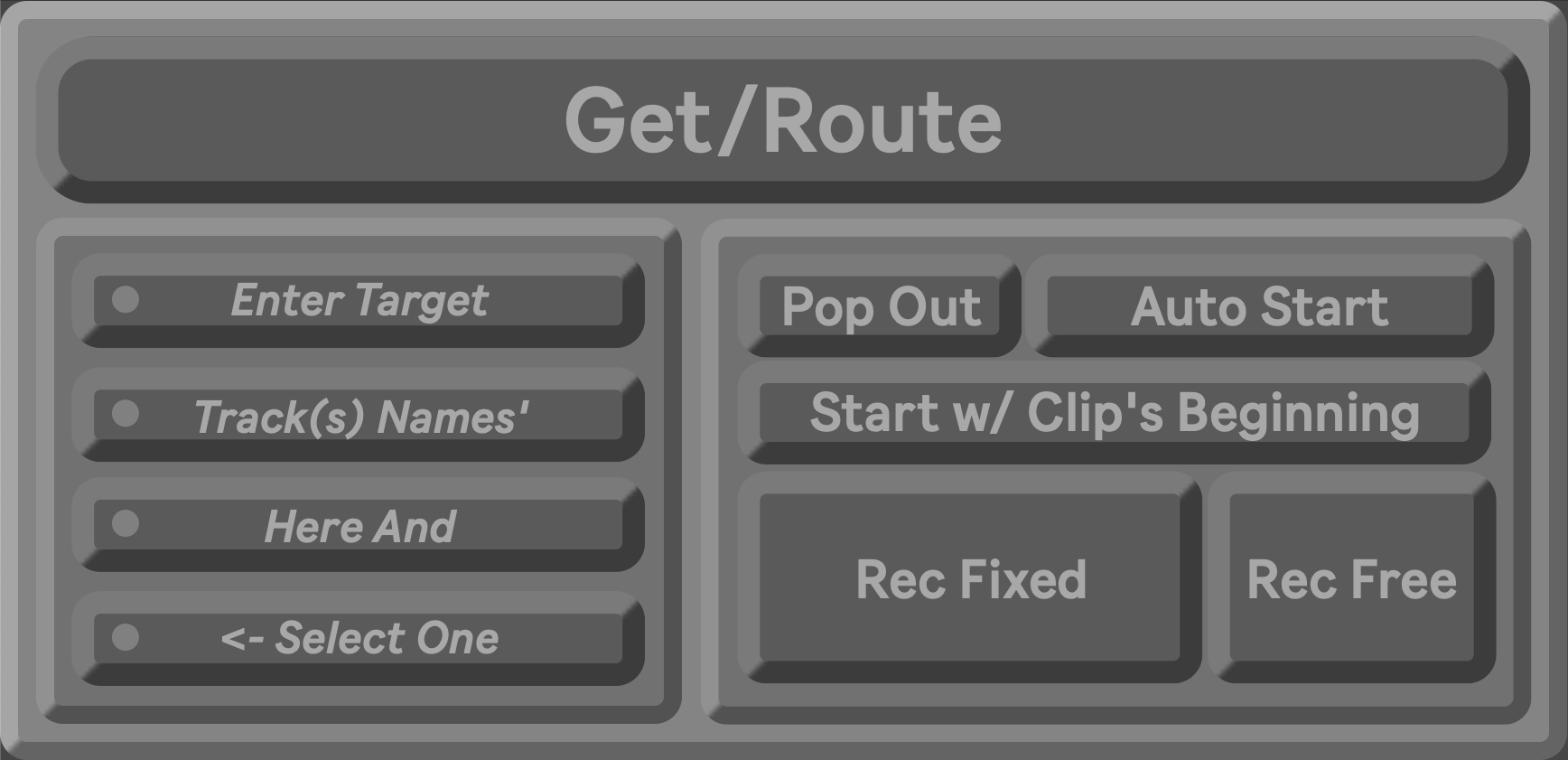
| Description: | A Max for Live device that transforms the process of bouncing audio tracks into a single-click operation. What can take several steps now happens in one or two mappable clicks. Streamline your production workflow with ClipBouncer for Ableton Live. WHAT IT DOES - Captures clip length, mixer values (volume, pan, sends), and timing information - Creates or targets an audio track automatically - Routes audio post-FX from source to destination - Records in sync with clip's start marker or with the global quantization - Preserves all mixer automation on the new track - Stop/Disables the original clip in sync with the recording playing back - Captures scene creation and clip copying to maintain session context KEY FEATURES - Phase-Perfect Timing - Sync to the clip's beginning or with the global quantization - Mixer Value Transfer - Volume, pan, and send levels automatically initialize on target tracks - Recording Modes - Fixed length (matches source) or Free (record until you stop) - Smart Capture Insert Scene - Auto-creates scenes and copies playing clips while respecting exclusions. Tracks with [dontCopy] will be omitted from the capture. - Universal Compatibility - Works with any tempo, time signature, or clip length (even 3.5 beats or 1.75 bars) - Intelligent Clip Naming - Automatically formats names with duration and time signature metadata Perfect for producers who bounce multiple tracks per session and want to eliminate repetitive routing, recording, and setup work. Works with any tempo, time signature, or clip length. THE GET/ROUTE BUTTON: ALL IN ONE 1. GET - Captures clip length, mixer values (volume, pan, sends), and track name 2. ROUTE - Creates/targets track, sets audio routing (post-FX), and applies mixer values 3. RECORD - Initiates synchronized recording and writes automation envelopes TARGET TRACK SETUP Enter track names in the four text fields. Only one track can be selected at a time: - No selection or unrecognized track - Creates new audio track - Selected target track - Routes to that existing track START MODES - START W/ (CLIP'S BEGINNING) - Waits for the original clip to reach the beginning to record. Accounts for loop start, start marker, and playback position. - START W/ (GLOBALLY QUANTIZED) - Recording begins at the next quantization boundary (1 Bar, 1/2, 1/4, 1/8, etc). Independent of clip position. - This is best used when you are not stopping the flow of your set because the start point of the newly recorded clip may not be in sync with the original clip or clips in the scene when that scene is played back. - AUTO START (ON) - Get/Route will automatically record for the - AUTO START (OFF) - Unlocks record buttons once you Get/Route - Waits for user to start recording - REC FIXED - Records for exactly the source clip length, respects Sync Mode - REC FREE - Records until you press again, ignores clip sync, allows flexible lengths REQUIREMENTS - Ableton Live 11 or 12 - Max for Live DEVELOPER Mike Fodor (mtfo) Version: 1.0 Last Updated: January 2026 |
Details
| Live Version Used: | 12.0.5 |
| Max Version Used: | 8.6.2 |
| Date Added: | Jan 25 2026 04:26:41 |
| Date Last Updated: | Jan 29 2026 20:25:35 |
| Downloads: | 0 |
| Website: | https://mtfodor.gumroad.com/l/ClipBouncer |
| ⓘ License: | None |
Average Rating
Log in to rate this device |
-n/a- |
Comments
download side is down......
Posted on February 17 2026 by Korny242 |
Report Issue
Login to comment on this device.
Browse the full library