Device Details
Overview
| Name | Version: | PLLague v1.0.1 1.0 |
| Author: | juniorastronaut |
| Device Type: | Audio Effect |
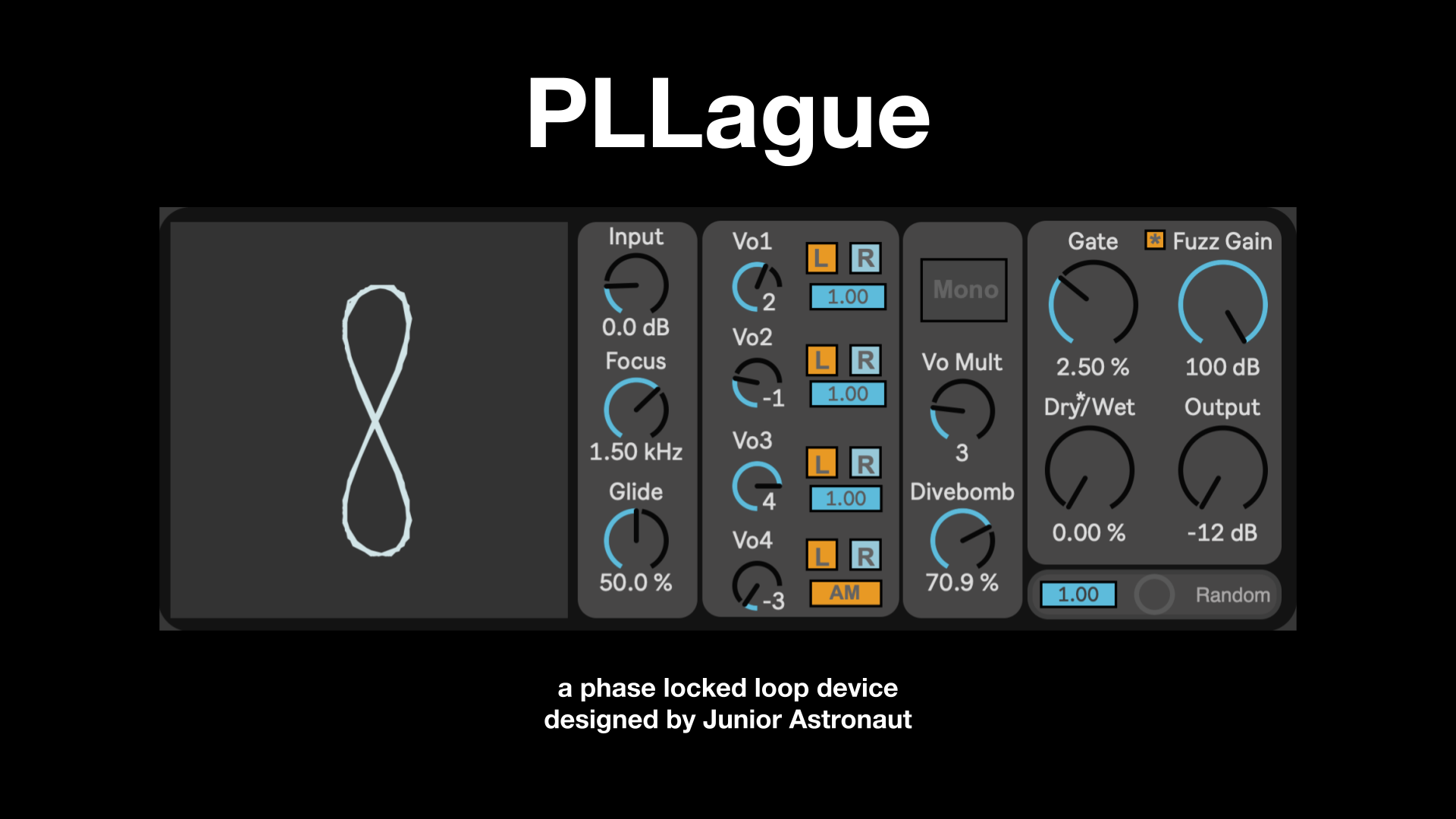
| Description: | PLLague is a “Phase Locked Loop”, PLL, max for live device for both massive and simple texture design. A PLL traditionally has an on board oscillator. An input signal is low pass filtered and fed into a Phase Comparator with the “on board” oscillator. Their frequencies are compared to calculate the pitch of the input signal and the calculated frequency is sent to the “on board” oscillator. Put simply, an input signal is pitched tracked and resynthesized via an oscillator. Typically in hardware PLL’s this on board oscillator is a square wave. A novel component of this device is that the oscillator is a sine wave with a built in fuzz gain to essentially turn it into a square wave if desired. A goal of this device was to allow the user more control. PLL’s are typically quite chaotic, so this was an attempt to harness that chaos while still having the chaos be easily accessible. Parameters INPUT Input: Adjusts the gain of the input signal. Focus: Set the low pass filter cutoff of on the input signal before pitch calculation. The lower the knob is set more it will focus on the input signal fundamental. Glide: Allows the user to set how fast the calculated frequency can change. The lower the knob the faster the pitch will change, the higher the value the smoother the change. VOICES: Vo#: Adjusts calculated pitch by harmonic. 0 = fundamental 1 = 1st harmonic (octave) 2 = 2nd harmonic (5th above octave) etc… L / R : Turns on/off processing for left and right channel. Slider : Adjusts volume of respective voice. AM : Makes voice 4 amplitude modulate all other voices VOICE FX: Mono: Turns off stereo processing. “x’s” appear over right channel button to show they are not used. Vo Mult (Voice Multiply): Multiplies the Vo# knobs by Vo Mult value. Divebomb: Triggered at the end of the signal, the last calculated pitch will ramp down from its current frequency to 0. The higher the knob the longer the duration time of the frequency ramp. OUPUT: Gate: Gates both the dry* and the wet signal based on the input amplitude. Fuzz Gain: Hard Clipped distortion. Dry/Wet: Blends the dry input signal with the processed (wet) reverb signal. Output: Adjusts the gain of the output signal. (asterisk *) : passes the dry signal into the fuzz before output. Turn off for true dry signal output on dry/wet knob. RANDOM Button (Random Button): Randomizes almost all parameters when pressed. Slider (Random Threshold): Triggers the random button when the input signal passes a set amplitude threshold. At the default value (1), randomization is disabled. Lowering the threshold allows you to, for example, trigger reverb changes from a drum hit, or play an instrument quietly and randomize the reverb with sudden accents in your playing. Requirements: Max for Live. Tested in: Ableton Live 11 & 12 with Max 8.5.8 and 9.0.7. |
Details
| Live Version Used: | 12.0.5 |
| Max Version Used: | 8.5.8 |
| Date Added: | Jan 17 2026 16:39:21 |
| Date Last Updated: | No Updates |
| Downloads: | 1 |
| Website: | https://juniorastronaut.gumroad.com/l/pllague |
| ⓘ License: | Commercial |
Average Rating
Log in to rate this device |
-n/a- |
Login to comment on this device.
Browse the full library