Device Details
Overview
| Name | Version: | Preview Tuner 1.0 |
| Author: | OSTINSOLO |
| Device Type: | Audio Effect |
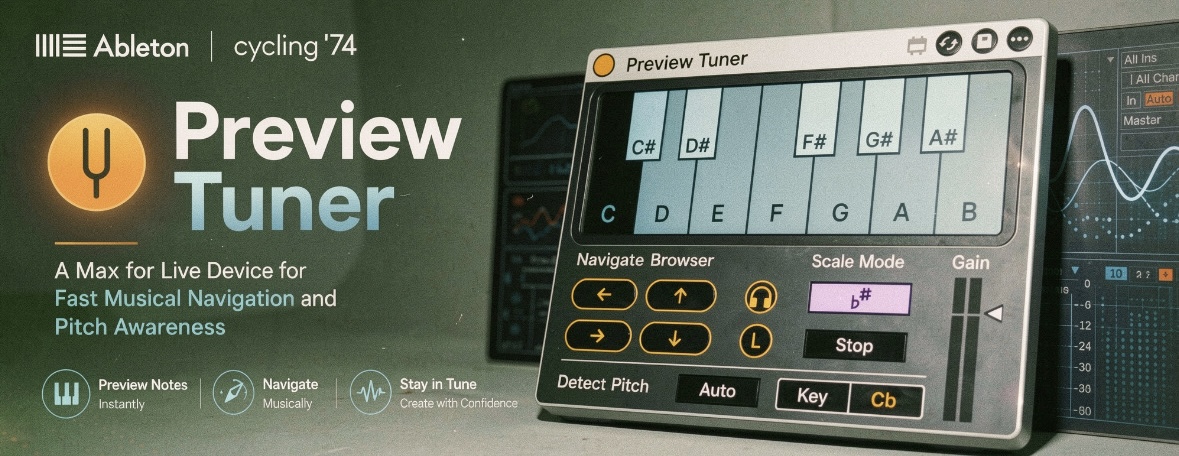
| Description: | How curious that Ableton still hasn't included this feature, but that's exactly why we exist. Preview Tuner does what it says on the tin: it lets you hear your sounds in tune with your project. It includes an algorithm that detects the fundamental frequency of polyphonic sounds and can also read the root note from your file names. As a result, every sound you preview in your browser will always be in tune with your session. It can also load the audio clip already tuned to the project using Ableton's Complex Pro algorithm, which is apparently the best way to keep it free of artifacts. The clip can always be repitched to a note that is part of the scale without pitching twice, it works in real time for preview. Usage: Privacy & Security → Accessibility → Ableton Suite 12 → turn it ON. Once loaded, you can control it in Ableton using shortcuts or a MIDI controller. Special thanks to Connor Patrick McDonough – https://www.mcdonoughproductions.com; it's his idea, and he currently uses it in his workflow. Contact me if you have a Max for Live device idea. I may like it and realize it for you. |
Details
| Live Version Used: | 12.0.5 |
| Max Version Used: | 8.6.2 |
| Date Added: | May 15 2026 20:27:07 |
| Date Last Updated: | May 17 2026 18:22:52 |
| Downloads: | 0 |
| Website: | https://ostinsolo.co.uk/devices/Preview-Tuner |
| ⓘ License: | None |
Average Rating
Log in to rate this device |
-n/a- |
Comments
Yes, this happens when Ableton has a restricted environment. Simply go to Privacy & Security → Accessibility → Ableton Suite 12 → turn it ON.
The flashing effect you see in the Arrangement View is normal; it’s not a bug. Normally, Ableton doesn’t allow loading clips from the browser using Max for Live or MIDI, unless you are using a Push. However, this device can do it. What it does in the background is: first load the audio sample into a Session Scene, then move it to the Arrangement, and finally delete the temporary file from the Session.
The flashing effect you see in the Arrangement View is normal; it’s not a bug. Normally, Ableton doesn’t allow loading clips from the browser using Max for Live or MIDI, unless you are using a Push. However, this device can do it. What it does in the background is: first load the audio sample into a Session Scene, then move it to the Arrangement, and finally delete the temporary file from the Session.
Posted on May 17 2026 by OSTINSOLO |
Report Issue
Thank you! Try it later
Posted on May 17 2026 by neepoplanu |
Report Issue
Login to comment on this device.
Browse the full library
Samples are cut off in the first milliseconds of playback, transposition does not occur
Errors in the console:
Preview Tuner.amx • node.script • Node script not running, can't handle 'script stop'
Live API is not initialized, use live.this device to determine when initialization is complete.
Preview Tuner.amxd • live.object • call delete_clip: no valid object set sliveapi set path: invalid path jsliveapi • get: no valid object set
Visual bugs, when clicking any on any icon of device in arrangement view.